
In case you didn’t know, Instagram has gone away from hashtags and towards keywords, and those keywords should SEO-rich (SEO = Search Engine Optimization) be embedded in your alt text, on your Reels and in your caption. Why? Because it increases your chances of being discovered on the search engine of their choice, or even through Meta AI (via Instagram).
Have you personally tried using Instagram’s search engine?
It’s the space where you’re typically typing in someone’s username to find their account. BUT NOW, well… for a while now… the Meta AI tool is an incredible tool and asset to all business owners and being able to be found by their dream customer.
How to use the Meta AI Search Function on Instagram:
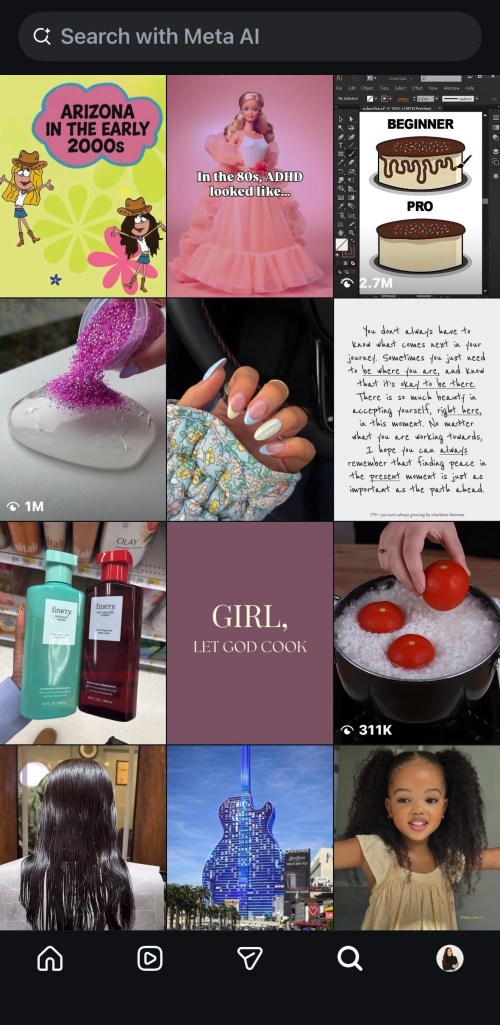
On Instagram, click the Magnifying Glass icon on the bottom of your screen
It will take you to the “Search” tab. You can then tap the top that says “Search with Meta AI”
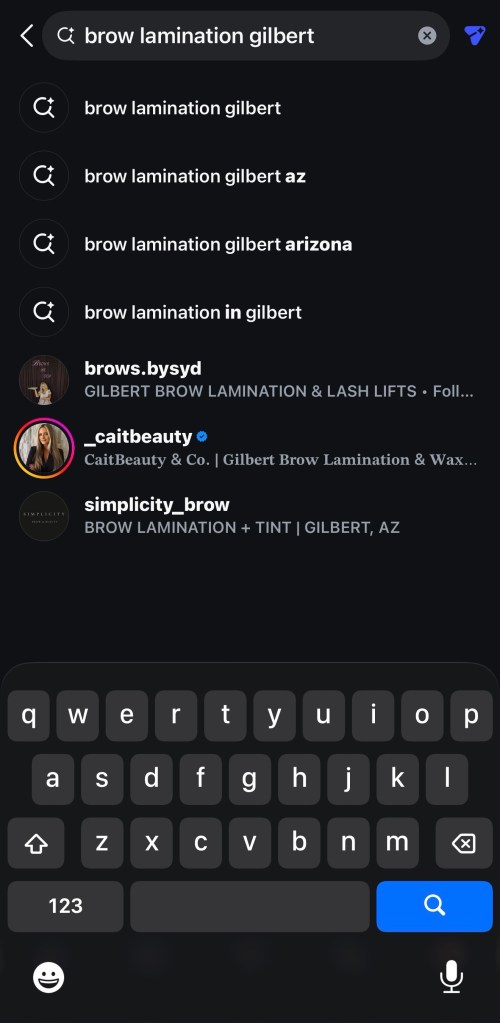
In the sample, I’m searching for a specific service and hoping to find it in my city. Search phrase used: “Brow Lamination Gilbert”
I then click “Accounts” at the top and found three options. I clicked the first account listed (@brows.bysyd).
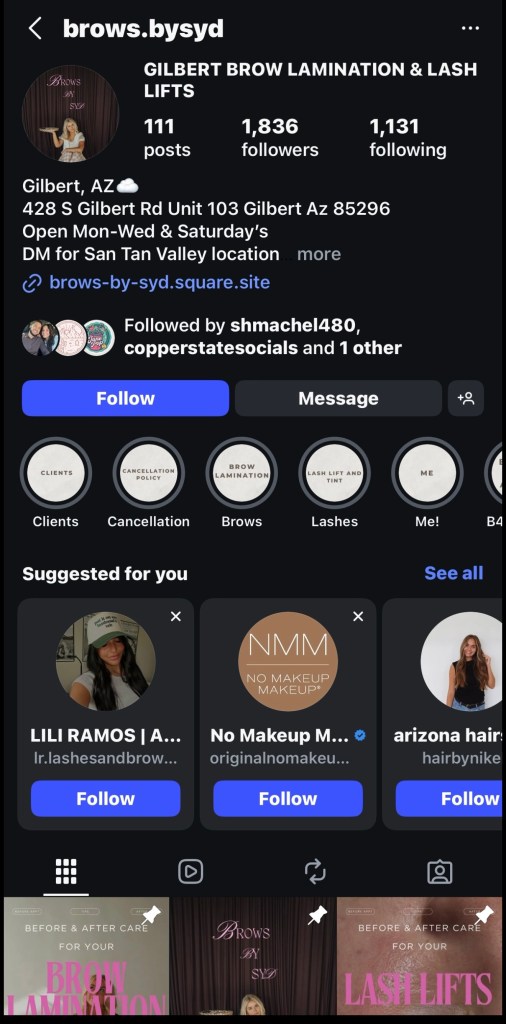
The address listed on their profile was less than a mile away from my home, so I ended up booking that person’s services.
Now she’s been my brow girl for the last five months.
You can also use this “Search” tool to see what others in your industry are creating for content (think of inspiration, not imitation), see who of your competitors are being discovered so you can do your best to outrank them by developing good social media strategy, in partnership with your social media manager.
Creating content without optimizing your Instagram profile is like building a luxury brand with no front door: people can’t enter, trust or buy. Your bio, name field, highlights, and pinned posts are the client acquisition foundation that turns views into leads/inquiries.
What should your Instagram bio include?
- Name: This is your liner ahead of your profile stats. Instagram does warn you that you can only change it once every 14 (ish) days so be weary of spelling, thoughtful word selection, etc. This should be your Business Name or given name if it’s part of your brand and what you do.
- Bio: Your bio only has 150 characters which go very quickly with cute emojis and extra spacing. So do your best to keep it as clean as possible while still showing some personality.
- First line should tell a profile visitor who you are servicing
- Second line is an authority statement which is a concise phrase that establishes your credibility, expertise or unique value immediately. It tells a profile visitor exactly why they should trust you or follow your advice over someone else’s
- Third line should be a call-to-action (CTA) with a down arrow directing their traffic either to a link listed on your page, your direct messages an email or a shop.
- Links: Links are great but I’d recommend utilizing only one link to keep visitors not confused. Whether you’re sending people directly to your website where they can shop, book or request information, or a ‘landing page’ of links (think Beacons, LinkTree, etc.), review the ‘link(s)’ often to ensure they’re working.
- Highlights: There’s been long time rumors that the Highlights section in your bio would be moved down to its own ‘tab’ amongst your ‘feed,’ ‘reposts,’ tagged,’ but we haven’t seen that movement yet. These highlights should be well organized and easy to identify: showcasing your work / client testimonials / meet the team are some samples of what could be great for Highlight topics. Try to cap your ‘slides’ per Highlight to 10-12 each because no one actually wants to slide through 20+ slides. Highlight covers are also just as important. They should be brand photography or brand colors (minimally). The ‘title’ of each Highlight appears below the Highlight bubble and should be in the given Instagram font (not imported fonts), as it allows the Highlights to also be searchable via search engines.
- Pinned Posts: These are crucial because it’s the introduction to your feed. They’re the first three posts pinned at the top of your feed. I do recommend switching them out or refreshing them annually depending on their content. For example, I have a client that offers monthly specials, so one of her pinned posts is switch out monthly. You. may have a restaurant that offers weekly specials or a menu that you may want to consider switching up, as needed. My best recommendation for pinned posts is to include: an about me post, your best client reviews / testimonials and the post that has brought in the most followers (could be a post with the most views or engagements or shares).
How we doing? Feeling overwhelmed?
Send me a message me here or on Instagram for free ‘mini’ Instagram bio audit. Just mention this post!





 Copper State Socials
Leave a comment